 |
| ||||
 |
Home | Reviews | Speed Test | Tools | News | Forums | Info | About | Join |
6.5 Setting up Outlook
These graphics, posted by 2kmaro, should help with setting up the new email on your systems. These are from Outlook 2000 on Windows XP -- The screens will probably be a little different with other versions of Outlook, or Outlook Express. Obviously if not using Outlook or OE, then you'll have to correlate entries here to how ever your client takes setup. One important point is at step 6 where you enter your username -- you MUST include the "@dslr.net". While your BBR user name may be 2kmaro or Justin, your dslr email username is the whole email address itself; i.e. 2kmaro@dslr.net or justin@dslr.net  Select "Add", then "Mail"  Enter the name you would like to appear on your email   Enter the information just as you see here  Enter the full email address, as shown here. Use your DSLR/BBR password    You should now see your new DSLR email account listed here. (You may not have more than one or two accounts)  This entry from a post by 2kmaro by KeysCapt The SpamAssassin features include a means of setting certain headers or subjects when spam email is created, so that your email program can filter on these and remove them to a junk mailbox. Here is how to set Outlook Express filters for this purpose. Start your Outlook Express program. Click on Tools -> Message Rules -> Mail 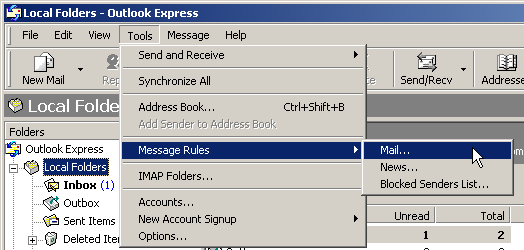 Check "Where the Subject Line contains specific words" in the first section, and "move it to the specified folder" in the next section. Next click "Where the subject line contains specific words" in section three. 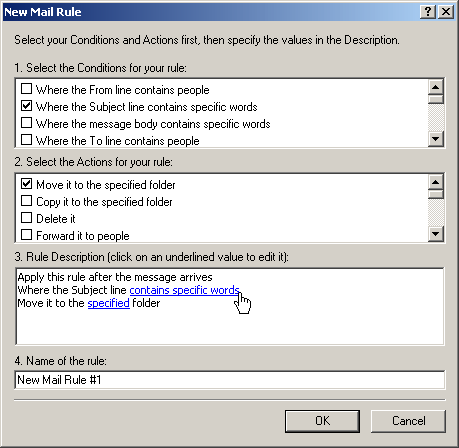 Enter ****SPAM**** or [POSSIBLE SPAM] (just as seen here, case sensitive) in the text field and click on "Add" then "OK". (Note: SpamAssassin as used with DSLR.Mail right now is set up to add the [****SPAM****] header.) 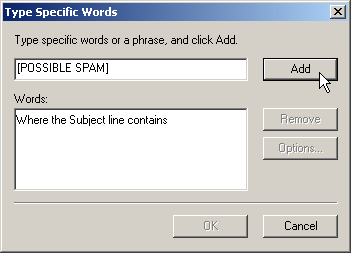 Click on the word that was highlighted in box #3 above. 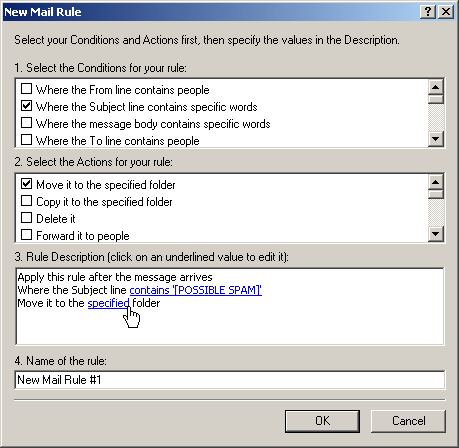 Left click on "Local Folders" to highlight it, then click on "New Folder" 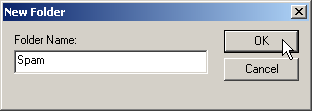 Enter a name such as "Spam" for the name of the folder - click OK. 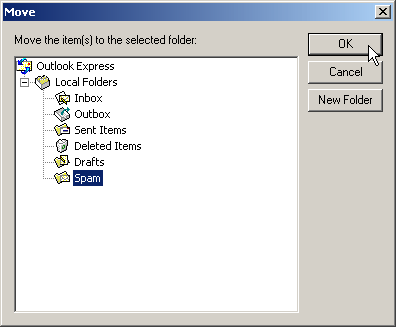 Click OK a second time here. 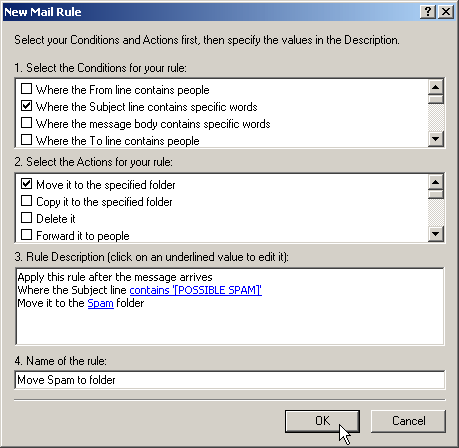 Enter "Move Spam to folder" for this rule name - click OK. 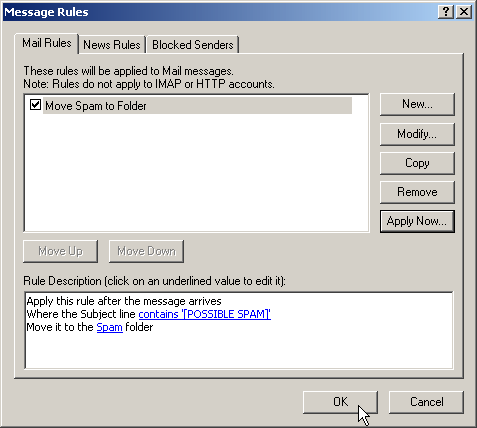 Confirm that the Spam Filter rule is in place, and then click OK. New (marked) messages will now be saved into the folder called "Spam". 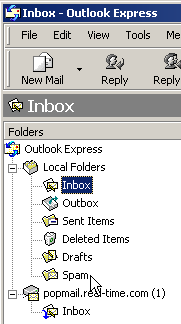 by KeysCapt With MS Outlook, • Go to the Tools menu and click on "Rules Wizard". by itsmethee Can I configure Outlook so that it will send email as an alias account rather than as my DSLR main account? Go to Tools -> Accounts and open the properties page for your dslr.net mail account. Just make a change where it says "email address" but don't change anything on the other tabs.  (This info from a post by Pike) by KeysCapt | ||||


- ISP Reviews
- Review an ISP
- Latest
- GBU
- Information
- Hardware
- FAQs
- Community
- Join
- Welcome
- Members
- For Sale
- Forums
- All Forums
- Follow

- Site
- Mobile mode

-
© DSLReports.com
Est. 1999
Wednesday, 17-Apr 03:58:11
Hosted by
Liquid Networks